
이 페이지는 한국어로도 볼 수 있습니다.한국어로 보기
Video upscaling
Choose a method under Upscale in the Picture button’s menu (or Ctrl+I, or Ctrl+N → Picture quality). The menu stays open so you can see each change, and the button shows a blue dot while an upscale method or picture correction is on. It changes while the video plays and is saved in script-opts\nanum-upscale.conf in your settings folder. This is independent of CUDA speech recognition: you do not need the CUDA Toolkit for upscaling.
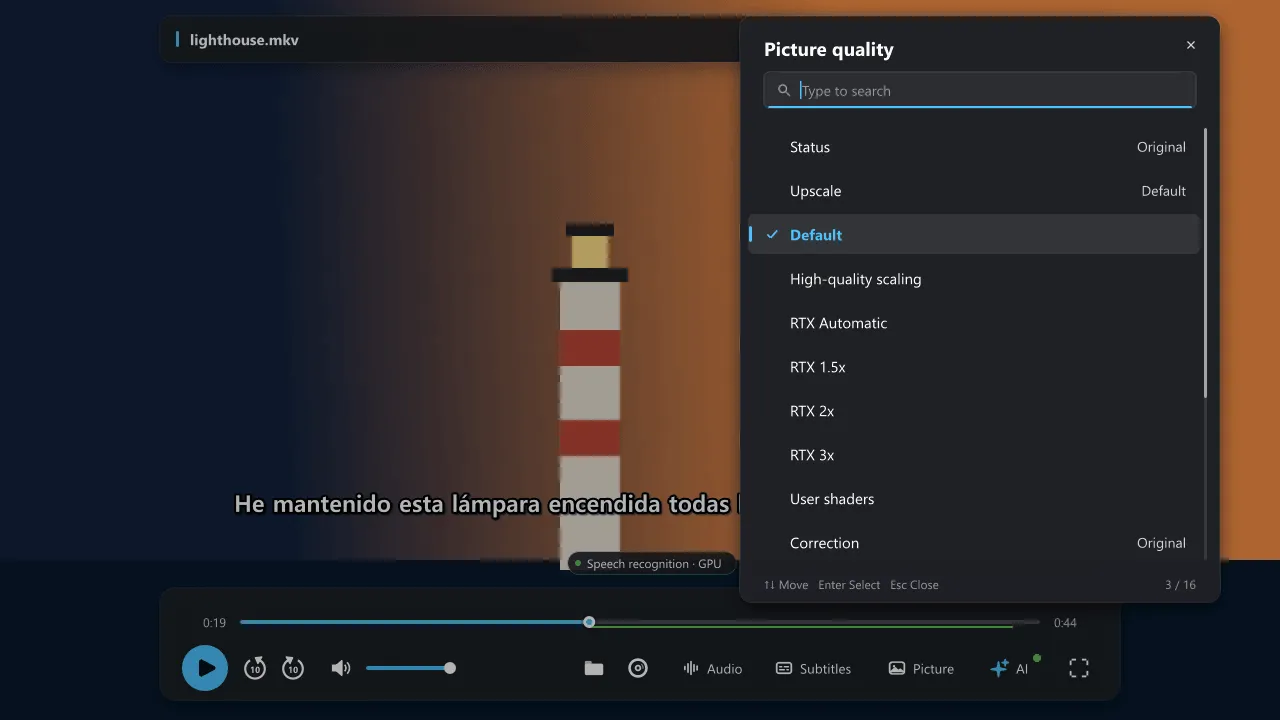
| Method | What it does |
|---|---|
| Default | Turns off the extra processing and restores the renderer and scaler settings this feature changed. Your own filters and shaders are kept. |
| High-quality scaling | On a GPU renderer, uses ewa_lanczossharp with ringing suppression 0.6. A better scaler, not an AI restoration. |
| NVIDIA RTX upscaling | Uses gpu-next, Direct3D 11, D3D11VA and the NVIDIA extension of the d3d11vpp filter. Needs a supported NVIDIA GPU and driver, and RTX Video Super Resolution switched on in the NVIDIA app or control panel. |
| User shaders | Add mpv-compatible .glsl, .hook or .frag files one at a time. Select an entry to reorder or remove it. They run after existing shaders, in the order you chose. |
No third-party shader packs (such as Anime4K or FSRCNNX) are bundled; you can add them yourself.
RTX scale
Section titled “RTX scale”Choose Auto, 1.5x, 2x or 3x.
- Auto computes from the source and window size, rounds up in 0.25 steps, caps at 4x, and removes the filter when no enlargement is needed. Window resizes are applied after a short pause.
- Fixed factors scale both width and height, for example 2x takes 1080p to 4K. Do not blindly apply a fixed factor to a video that is already 4K or a window that is smaller than the source.
Good to know
Section titled “Good to know”- The renderer can briefly recreate the picture when you switch methods.
- An unsupported GPU or a shader compile error appears in the status, and the processing this feature added is removed.
- Speech recognition, a local translation model and upscaling all use the GPU; together they can drop frames. Lower the factor or try high-quality scaling.